Turn raw footage into polished reels with AI.
Transform your videos and voiceovers with captions, motion graphics, and sound. Review the edit, refine the details, and export from your Mac.
For Apple-silicon Macs on macOS 15 or later · English and Hindi (Hinglish) captions
- Your recordingidea-to-product.mov · 0:58
- Your brief4 steps, calm and clear
- Your brand kitBlue accent · Inter
- Logos & screenshotsYours, plus official logos
AI pipeline
Standard edit
EditingBrief · Explain how an idea becomes a product in four steps. Calm and clear, one blue accent, simple diagrams.
Transcription (done)
Every word with its timing, transcribed on this Mac.
Composition analysis (done)
Finds the speaker and the free space where graphics can go.
Understanding & creative planning (done)
Chooses a creative direction, then plans cuts, scenes, zooms and captions.
Asset discovery (done)
Finds official logos and screenshots for products the speaker names.
Motion graphics (running)
Designs each graphic scene and checks it before accepting it.
Step 6 of 9: Motion graphics…
Cut and pacing
Shape the story.
Editrolls reads the whole recording, then removes filler words, retakes, false starts, long pauses and tangents, only where the meaning stays intact. What's left is tighter, and still in your words.
- Works on video or voiceover audio
- Up to 2 minutes per reel
- Every cut shown on the timeline
- Nothing is reworded
idea-to-product.mov
Illustrative demoCaptions and motion graphics
Make every idea visible.
Word-by-word captions, typography in your brand, and a diagram or the right product logo for each point you make.
Then talk to ten people
Build the smallest version
“Ye idea product kaise banta hai”
Captions that follow your voice
Every word timed to the audio. English, and Hindi captioned in Hinglish (Roman script).
Brand colours
Heading font
Aa Inter Semibold
Look
Clean keynote
Your colours and fonts
Save brand kits with your colours and fonts, pick one of 10 looks, or let Editrolls choose.
Talk to ten people
Then talk to ten people who need it
Diagrams, logos and screenshots
Designed scenes for each idea, official logos of products you mention, and your own screenshots or photos.
Illustrations of the sample project, not real exports.
Revisions · How an idea becomes a product
Illustrative demo- Approved
Storyboard
5 scenes reviewed
- Fixed
Caption · 0:12
“tenn” → “ten”
- Re-designed
Scene 3
Diagram simplified
- Kept
Scenes 1, 2, 4, 5
Unchanged
Build the smallest version
Build the smallest version that works
Review and revise
Keep creative control.
You see the plan before it renders, and you change what you want without starting the edit over.
Review the storyboard first
See every scene planned before anything is rendered.
Correct any caption word
Click a word, fix it, save. It re-renders on your Mac at no cost.
Fix just the scene you want
The reviewer and quality checks flag weak scenes. Fix one, or all flagged scenes, and the rest are kept.
Set the style up front
A short brief, one of 10 looks, and your brand kit.
How it works
From recording to reel in three steps.
idea-to-product.mov
Step 1
Import your content
Add a talking-head video or a voiceover (MP3, WAV, M4A or AIFF), up to 2 minutes per reel, plus any logos or screenshots you want shown.
Step 2
Choose the direction
Write a short brief, pick one of 10 looks or let Editrolls decide, choose a brand kit, then check the storyboard.
- Export · MP4 · 1080 × 1920Ready
Step 3
Review and export
Editrolls edits on your Mac, usually in 15 to 45 minutes. Fix a caption or a scene, then export a 1080 × 1920 MP4.
Use cases and looks
Made for explainers, with or without a camera.
Editrolls is built for single-speaker vertical reels: you explaining an idea, a product or a lesson, in a style that suits the topic.
Talking-head reels
Record yourself on your phone or webcam. Editrolls cuts it, captions every word and adds graphics around what you say.
Illustrative demoThen talk to ten people
Voiceover reels
No camera needed. Bring a voiceover and Editrolls designs every scene: diagrams, typography, logos and screenshots.
Illustrative demoShip it and listen
Ship it and listen closely
10 looks, or let Editrolls decide
The preview cards from the Mac app's style picker. Your reel uses your own words, colours and fonts.

Illustrated explainer
Every idea acted out as a drawn mini-world

Clean keynote
White stage, flat icons, one confident accent

Editorial magazine
Warm paper, serif headlines, floating cards
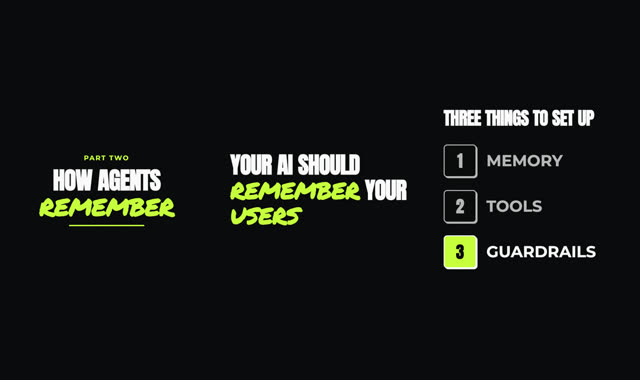
Creator pop
Loud captions, sticker cutaways, fast cuts

Graph-paper explainer
The idea drawn live in ink on graph paper

Tech blueprint
Line-art diagrams on a deep technical stage

Sunlit collage
Cut-paper shapes, textures and warm light
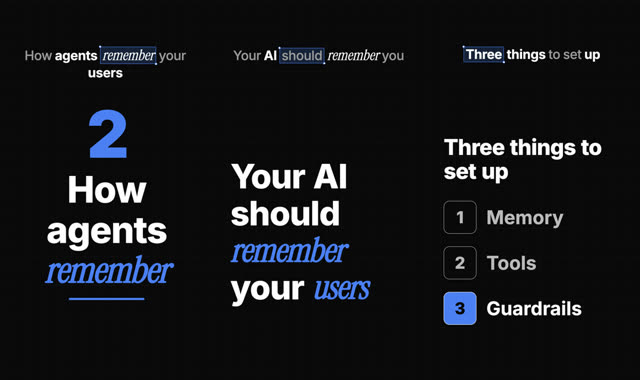
Selection-box explainer
Word-by-word headlines and product UI built live
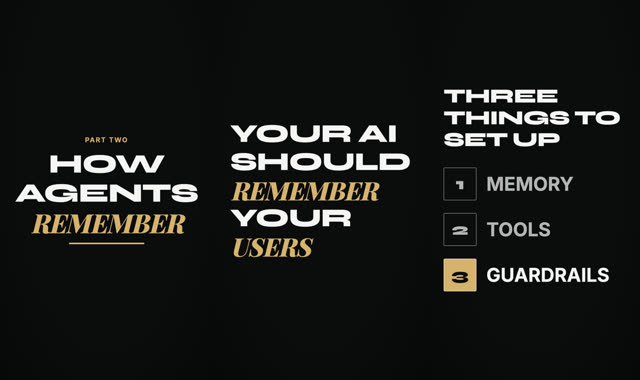
Minimal cinematic
Speaker-first, few elegant words, quiet motion
Let Editrolls decide
Picks the look that fits your topic and brief.
Pricing
Pay per reel. No subscription.
Buy a pack of reels and use them whenever you like. The bigger the pack, the lower the price per reel.
Every reel includes
- Cuts and pacing
- Word-by-word captions
- Motion graphics, logos and screenshots
- Music and sound effects
- Storyboard review before rendering
- Caption corrections, re-rendered on your Mac
- Fixes for scenes you want changed
- 1080 × 1920 MP4 export
- What a reel is
- 1 reel is one Standard edit of up to 2 minutes of footage. Premium designs more scenes and uses 2 reels per 2 minutes.
- Revisions
- Caption corrections are always free. Scene fixes and re-edits of the same video are included up to a set AI allowance for that reel.
- Refunds
- If an edit fails before a video is made, its reels are returned automatically, up to 3 times in 30 days. Beyond that, contact support.
- No expiry
- One-time payments in Indian rupees. No subscription, and reels never expire.
- Try it first
- New accounts get 2 free reels, once per account and per Mac. Packs can be bought once you're invited.
FAQ
Questions, answered.
What you need to know before you request access.
Which Macs does Editrolls run on?
Macs with Apple silicon (M1 or later) on macOS 15 or later, with about 4 GB of free disk space. There is no Windows or browser version.
What can I import?
A talking-head video or a voiceover audio file (MP3, WAV, M4A or AIFF), plus optional logos, screenshots or product photos you want featured. Editrolls is made for single-speaker vertical reels; each reel covers up to 2 minutes of footage.
Which languages are captioned?
English and Hindi. Hindi speech is captioned in Hinglish (Hindi written in Roman script), which is how most Indian creators caption their reels.
How much control do I have over the edit?
You can write a brief for the look and story, pick one of 10 styles and your brand colours and fonts, and review the storyboard before anything is rendered. After the edit, an AI reviewer and automatic quality checks point out weak scenes; one click re-designs just those scenes and reuses the rest. You can also correct any caption word yourself, which re-renders on your Mac for free.
How long does an edit take?
Most edits take about 15 to 45 minutes on an Apple-silicon Mac, depending on length and how many scenes are designed. You can keep using your Mac while it works.
How do credits and pricing work?
You buy reels in one-time packs: 3 reels for ₹999, 10 for ₹3,299 or 30 for ₹8,999. Reels never expire. One reel is one Standard edit of up to 2 minutes of footage; Premium designs more scenes and uses 2 reels per 2 minutes. Caption corrections are free, and scene fixes on the same video are included up to a set AI allowance for that reel. New accounts get 2 free reels (once per account and per Mac). If an edit fails before a video is made, its reels are returned automatically, up to 3 times in 30 days.
What do I get at the end?
A finished vertical MP4 (1080×1920) with captions, graphics, music and sound effects, ready to post to Instagram Reels, YouTube Shorts or TikTok. Editrolls exports the finished video, not a project file for other editors.
Do I need an internet connection?
Yes. Cutting, transcription and rendering run on your Mac, but planning and reviewing the edit use AI through Editrolls' servers, so an edit needs a connection and an Editrolls account.
Does my video leave my Mac?
Your footage is cut, transcribed and rendered on your Mac. To plan and check the edit, Editrolls sends the transcript, a few still frames and your brief to its AI providers through Editrolls' servers, and looks up the names of products you mention to find their official logos. The full video file is not uploaded.
How do I get access?
Editrolls is in early access. Request access with your email and we'll invite you as places open; you'll then install the Mac app with one command and sign in with Google.
Edit your next reel with Editrolls.
Editrolls is in early access for Mac. Leave your email and we'll send an invite when a place opens.